 PostEase
A video editor where you post.
Cut Reels, TikToks and Shorts in your browser, with captions written from what you said, then put the video straight on your calendar.
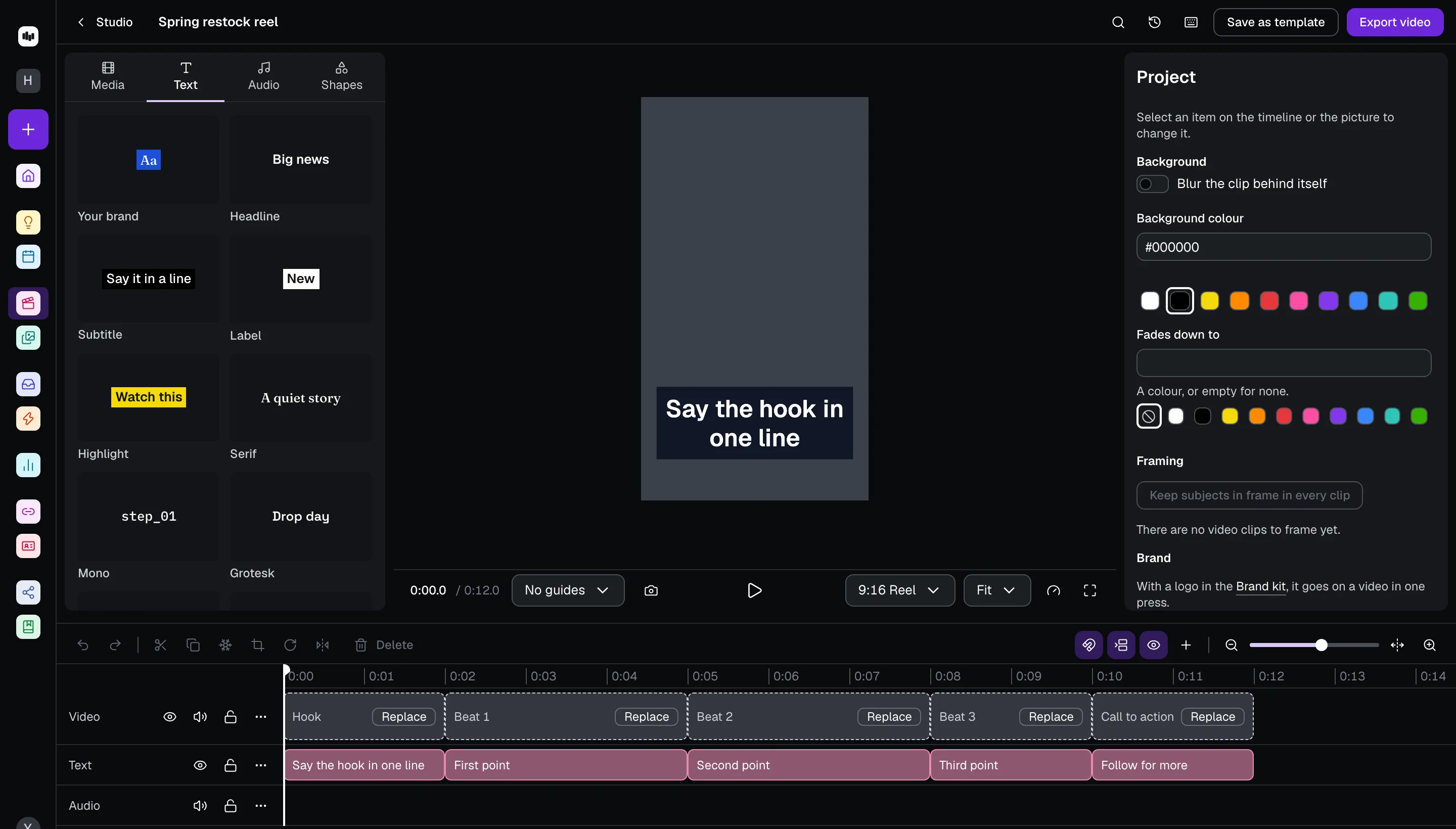
No more export, download, upload.
Most short videos are made in one app, saved to a phone, uploaded to another app and scheduled in a third. In Studio the finished video lands in your files and goes onto the calendar from there, captioned and in the right shape for each platform.
What it does.
The jobs a short video needs, in one editor.
Start from a shape that works
Templates such as a hook, three beats and a call to action, with a slot for each clip.
Captions from what you said
Written from your speech, with key words picked out. Fix a misheard word once and it changes in every caption, and your brand’s spellings are remembered.
Edit by editing the words
Cut words from the transcript and the video follows. Find your retakes, and add punch-ins on the sentences that matter.
One video, every shape
Reels, Shorts and TikTok at 9:16, feed posts at 1:1 or 4:5, YouTube at 16:9. Reframe keeps the subject in every clip, and a copy in another shape is one click.
Checks before you export
Text under the app’s buttons, speech without captions, sound that jumps or goes quiet, music over your voice, a dark first frame or a slow start, each with a fix.
Your look, in one press
Titles in your Brand kit’s style, your logo placed for you, and filters, effects, transitions and title styles to choose from.
Sound
Music, voiceover, titles read aloud, voice effects and loudness evened out across clips.
Straight to your calendar
The export runs while you keep working, lands in your files and goes onto the calendar from there. No download, no upload.
It tells you what will go wrong before your audience does.
Before you export, Studio looks for what costs views without anyone noticing: words hidden under the app’s buttons, speech with no captions, a sound that jumps or drops, music drowning your voice, a dark first frame, a slow opening, an ending that drags. Each comes with the fix, one at a time.
On Creator, $15 a month.
Every new account starts with 14 days of Creator, with no card, so you can make and post your first videos before you decide.
Every channel, on every plan
- Free$0 a month
- Creator$15 a month
- Pro$35 a month
- AgentOpening soon
Every new account starts with 14 days of Creator, then moves to Free. No card.
Reading on short video
How long to make it, how to open it, how to cut it by its words, how to reuse it, what each platform takes as its cover, and how other editors compare, from the blog.
- CapCut alternatives, compared
- How video length affects performance (and how to script for it)
- How to write a hook that stops the scroll
- Content repurposing: turn one video into ten posts
- How to turn a long video into short clips
- What is a video cover?
- What are YouTube chapters?
- What is text-based video editing?
- What is audience retention?
Questions
Is PostEase Studio a CapCut alternative?
It does the job most creators open CapCut for: cutting short videos, adding captions, titles, music and effects, and exporting for Reels, TikTok and Shorts. The difference is where it lives: in the same place you schedule, so the finished video goes onto your calendar without a download and an upload.
Do I need to install anything?
No. Studio runs in your browser, on the files you keep in PostEase.
Does it make captions automatically?
Yes. Captions are written from what is said in your video. You can restyle them, pick out key words, and fix a misheard word everywhere at once.
Which sizes can I export?
Vertical 9:16 for Reels, TikTok and Shorts, square 1:1, 4:5 and 3:4 for feeds and Pinterest, and 4:3 and 16:9 for YouTube and the web, at 24 to 60 frames a second.
Is Studio free?
Studio is part of Creator, at $15 a month. Every new account starts with 14 days of Creator, with no card.
Make the next video here.
Start from a template, keep your captions, and post it without leaving. Free to start, with Creator for your first 14 days.
Start free